Now booking new clients Lake Charles · Lafayette, LA · (337) 305-3703
Field service platformElectrical contracting

A field service platform for Trahan's Electrical

Quotes go out as a link the customer signs on their phone, and every job carries one record from the first call to the paid invoice.

Client
Trahan's Electrical Service & Repair, Acadiana, Louisiana
Industry
Electrical contracting
What it is
Field service platform
Status
Crew live since September 21
2,210customers brought over, with 3,240 past invoices
17accepted quotes in the first two weeks
9.5 weeksfrom signing to the crew going live
Field service platform: Electrical contractor

Try similar software

Software similar to the one we built for Trahan's Electrical Service & Repair, not their exact software. Every customer, job and dollar in it is invented; none of it comes from Trahan's Electrical Service & Repair's data. Tap any name on the crew roster, then type any 4-digit PIN.

Full screen ↗
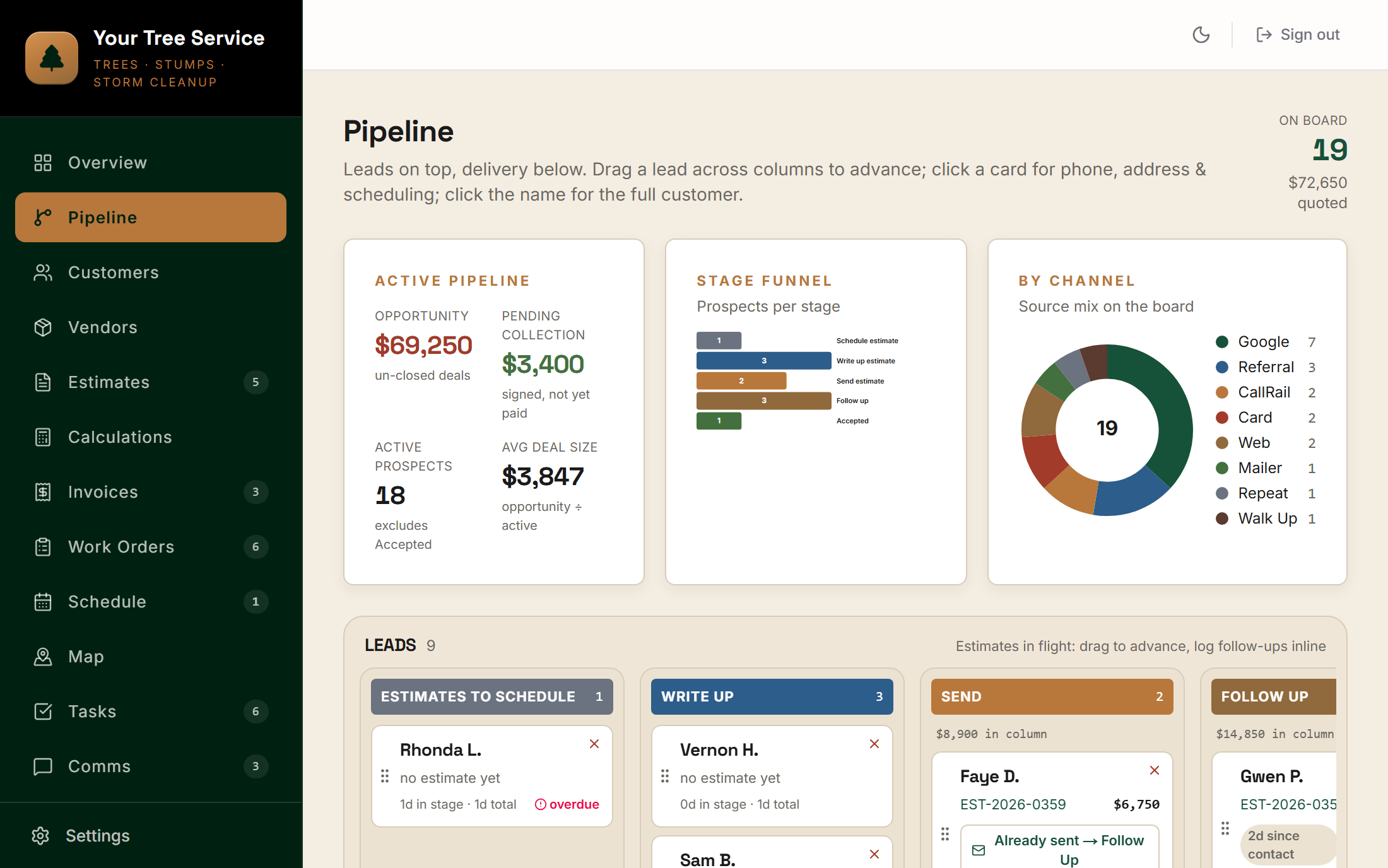
QuotesService ticketsCrew calendarPhoto markup
BeforeLouisiana

Two apps, and nothing telling the owner what's going on.

Quotes and invoices lived in the accounting software, the schedule lived in a shared calendar with one color per tech, and photos lived in a third app. Nothing tracked a job from the call to the payment.

Quotes went unanswered until a customer called back about them, and an unpaid residential job could go weeks or months before anyone caught it.

“I cannot see what jobs are out there, what stage they're in... it's like, I'm a detective trying to piece together a crime scene of what is going on.”

L.T., Owner, Trahan's Electrical
What we built

The owner sees every job, every tech and every dollar without calling the truck.

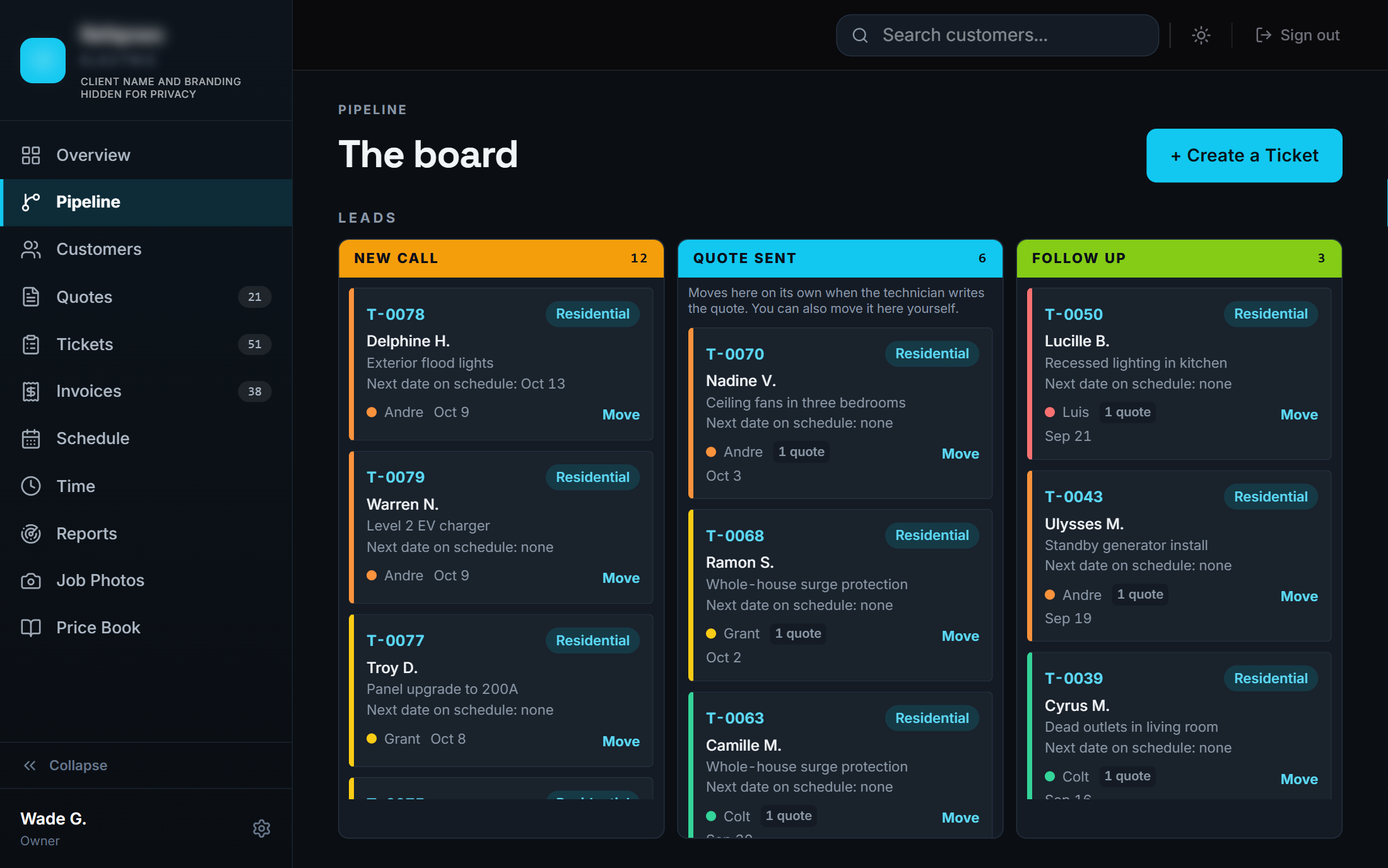
Every call becomes a ticket

Customers are matched instead of duplicated, every ticket is numbered, and a ticket with no quote shows up on the owner's needs-attention list.

Quotes from the price book

Search finds any item whatever order the words are in. Each line gets a location, and the tech answers the permit and prep questions on the spot.

Signed on the customer's phone

The quote goes out from the owner's own email with a link and a PDF. Signing it moves the ticket forward on its own.

A calendar the crew lives in

The office drags jobs onto a color-coded team calendar, and each tech sees their own day on their phone.

Invoices that chase themselves

A quote becomes an invoice in one click, due dates set themselves, overdue invoices get flagged, and the customer pays by card from the invoice.

Books without typing

Paid invoices and payments book into the accounting software on their own, checked against its totals first.

This is what we built for Trahan's Electrical Service & Repair. The demo above is similar software on invented data, not their system.

Step by step

Who does each step, before and now.

StepBeforeNow
Step 1The call
Before
  • OwnerBooks it on the shared calendar, and nothing tracks it after that
Now
  • OfficeCreates the ticket
  • AutomaticMatches the customer and tags the lead source
  • AutomaticKeeps it on the needs-attention list until it's quoted
Step 2The schedule
Before
  • OwnerAdds it to the calendar, one color per tech
Now
  • OfficeDrags the job onto the team calendar
  • AutomaticShows each tech their own day on their phone
Step 3The quote
Before
  • OwnerWrites it in the accounting software, hunting for items its search won't find
Now
  • TechBuilds it from the price book on site
  • AutomaticFills in prices and descriptions, and asks for the permit and prep details
Step 4Send and sign
Before
  • OwnerSends it, and nobody tracks the reply
Now
  • TechPresses Send
  • AutomaticEmails it from the owner's own address with a link and a PDF
  • CustomerSigns on a phone
  • AutomaticMoves the ticket to Accepted
Step 5The invoice
Before
  • OwnerBuilds the invoice in the accounting software
Now
  • OfficeTurns the quote into an invoice in one click
  • AutomaticSets the due date and flags it when it's overdue
  • CustomerPays by card from the invoice
Step 6Collecting
Before
  • OwnerFinds the unpaid job weeks or months later
Now
  • AutomaticWon't close a residential job without a payment or a reason
Step 7The books
Before
  • OwnerEnters it in the accounting software by hand
Now
  • AutomaticBooks the paid invoice and the payment, checked against the totals first

The software does part of the work at 7 of 7 steps. The office and the techs still check every quote and invoice before it goes out.

Results

Live at the Monday crew meeting, with the history already in it.

The crew went live at the 8 a.m. meeting on Monday, September 21, about nine and a half weeks after signing. The history came across first: 2,210 customers, 3,240 past invoices on each customer's timeline, and 796 job photos, 611 of them matched to the right customer automatically.

Two weeks in there were 17 accepted quotes, 7 of them signed by the customer online, with quotes and invoices going out from the owner's own email.

“Love the ability to move photos up into the customer box and back down to internal only.”
L.T., Owner, Trahan's Electrical
Built with
Is this you?

If you have to call the truck to know where a job stands.

We'll put every call, quote, job and payment on one record, so you can see the whole business from your phone.

More builds

Other systems we've built.

Want one of these for your business?

Start with an AI audit. We'll map which system to build first.